
Colorescience UK
Redesigning Colorescience UK’s ecommerce experience for clearer product discovery, simpler navigation and a more confident path to purchase.
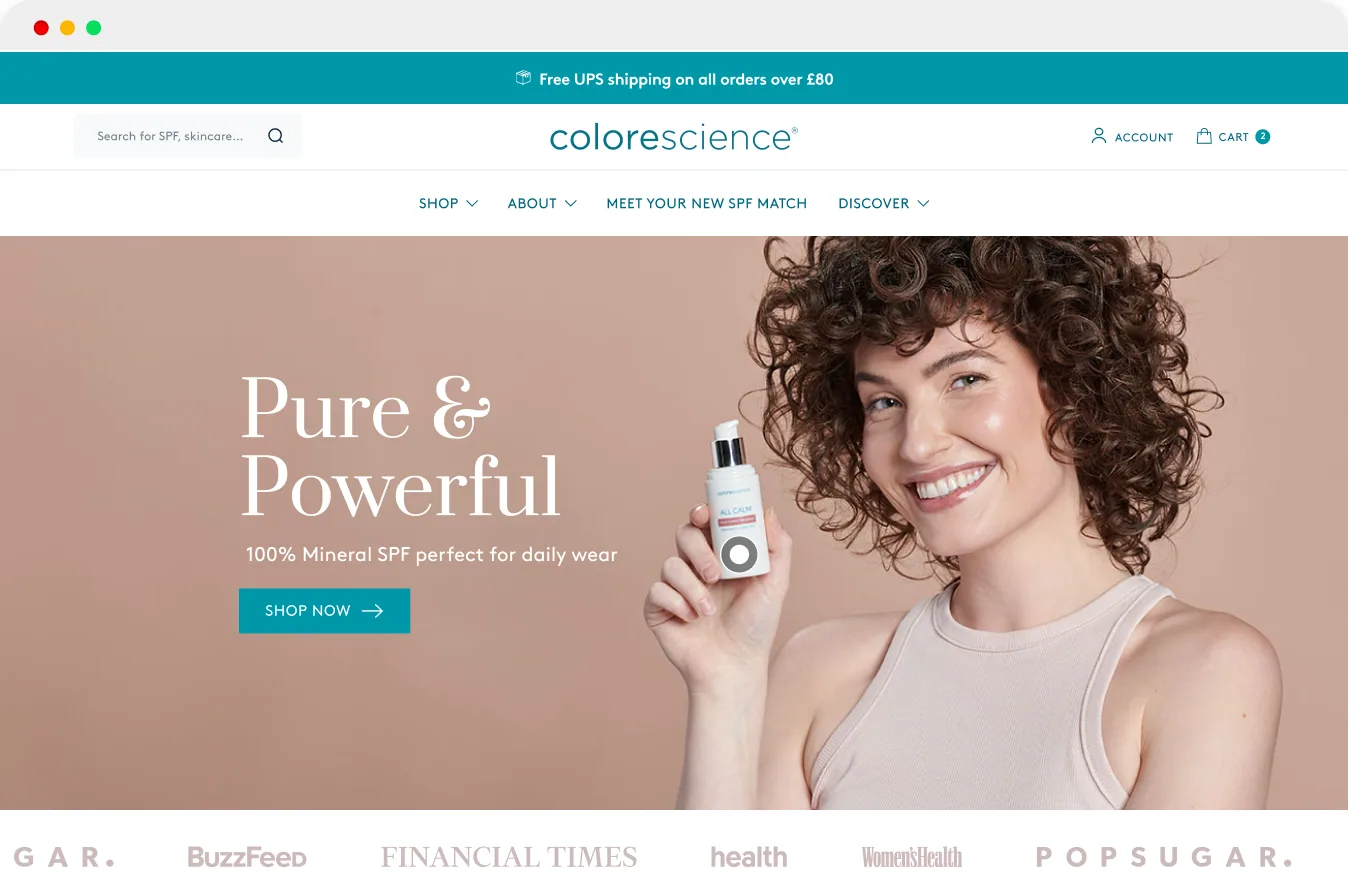
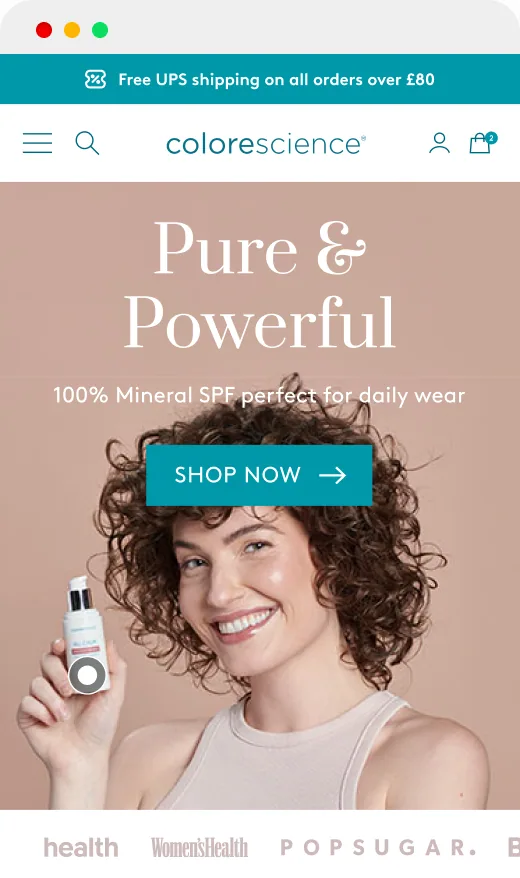
Website
View the Website
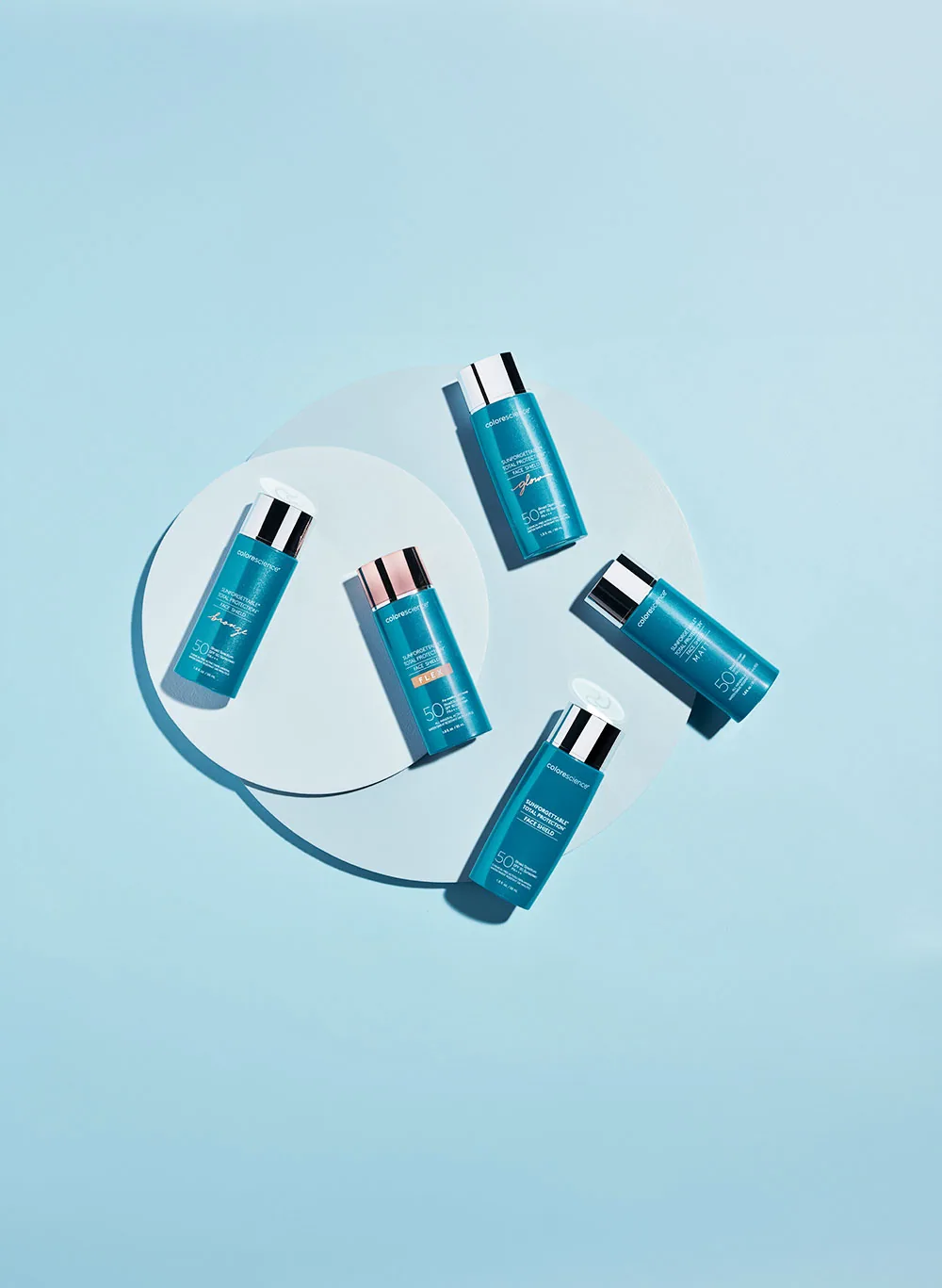
Colorescience combines professional skincare, 100% mineral sun protection and colour-correcting makeup to protect and improve skin health.
Background
Colorescience is a medical-grade, clinical skincare and mineral cosmetics brand known for its 100% mineral-based sun protection and colour-correction lines.
The Problem
Colorescience UK’s site had grown around an expanding range of skincare, mineral SPF and makeup, but the experience had not evolved with it. More than three quarters of traffic was mobile, while the mobile product page was losing almost two thirds of visitors who reached it. Product discovery relied heavily on navigation, priority categories were difficult to surface and the site needed a more scalable structure for merchandising and content.
What the Analytics Showed
I combined GA4 and Shopify funnel analysis with a customer questionnaire, Hotjar heatmaps and session recordings to identify where the shopping experience needed attention.
Mobile accounted for most traffic, and product-page abandonment stood out as a priority. Search users also converted more often than non-search users. These patterns guided the redesign; they did not, on their own, establish the causes of abandonment or prove that greater search use would increase sales.
of traffic came from mobile, making the small-screen shopping journey a priority.
reported abandonment on mobile product pages. This highlighted a stage of the journey to investigate.
reported conversion by users who used the search function versus non-search users: 37% vs 12% on desktop; 27% vs 8% on mobile.
Researching Across the Customer Base
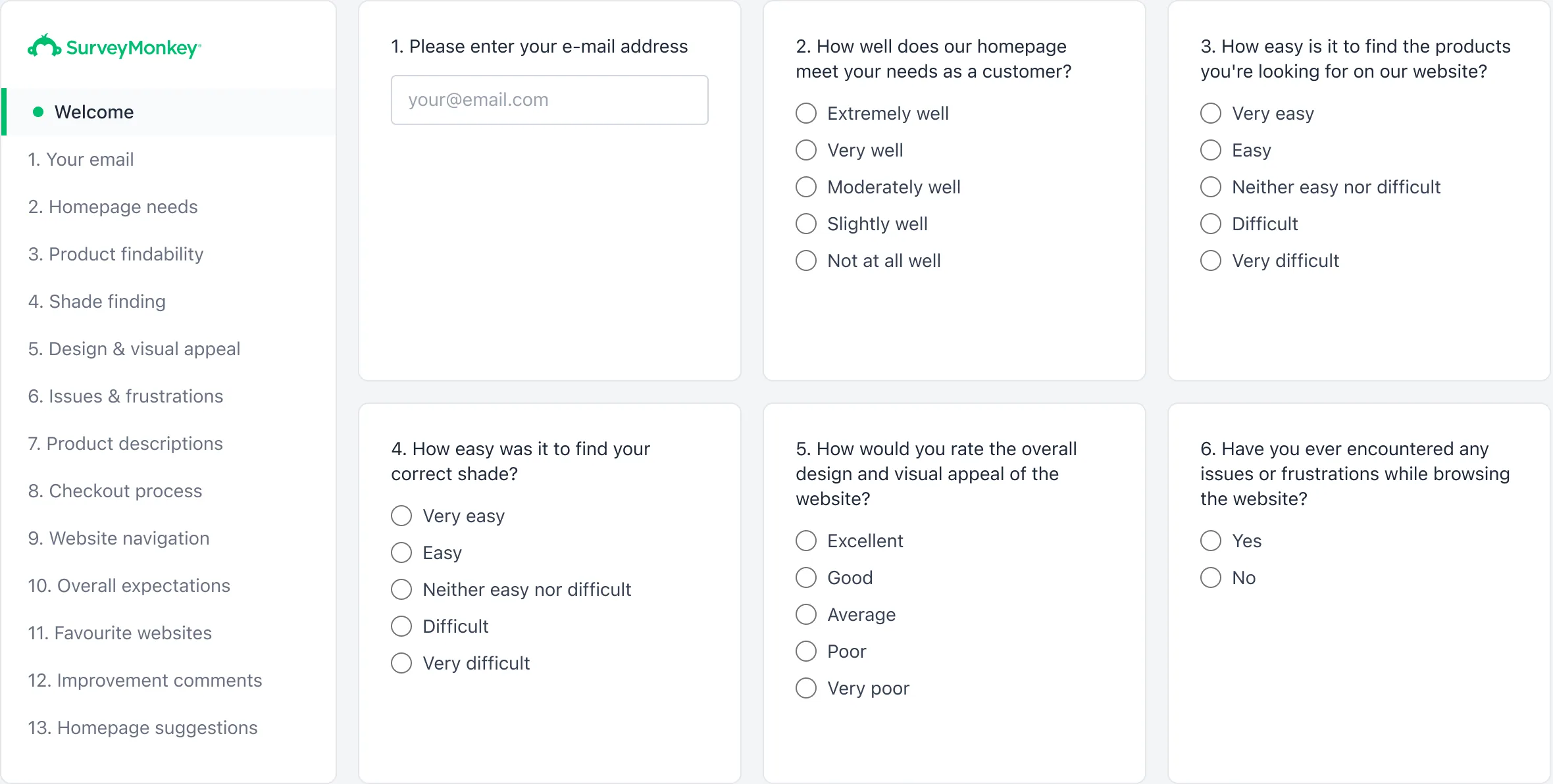
I sent a SurveyMonkey questionnaire to top customers, repeat buyers and customers who had not returned for some time. Respondents received a 30% discount after completion.
This provided feedback from existing customers; it did not directly represent visitors who had never purchased.
Survey Findings
Help finding suitable product
Customers wanted help finding a product that suited their needs. This informed clearer catalogue routes and product-selection guidance.
Understand the product
Requests for clearer product information informed more consistent cards, concise summaries and expandable detail.
Choose a shade
Shade uncertainty informed named selections and a stronger emphasis on application imagery.
These themes describe feedback from existing customers. I considered them alongside analytics and observed behaviour rather than treating them as representative of every visitor.
Click and Scroll-depth Heatmap Research
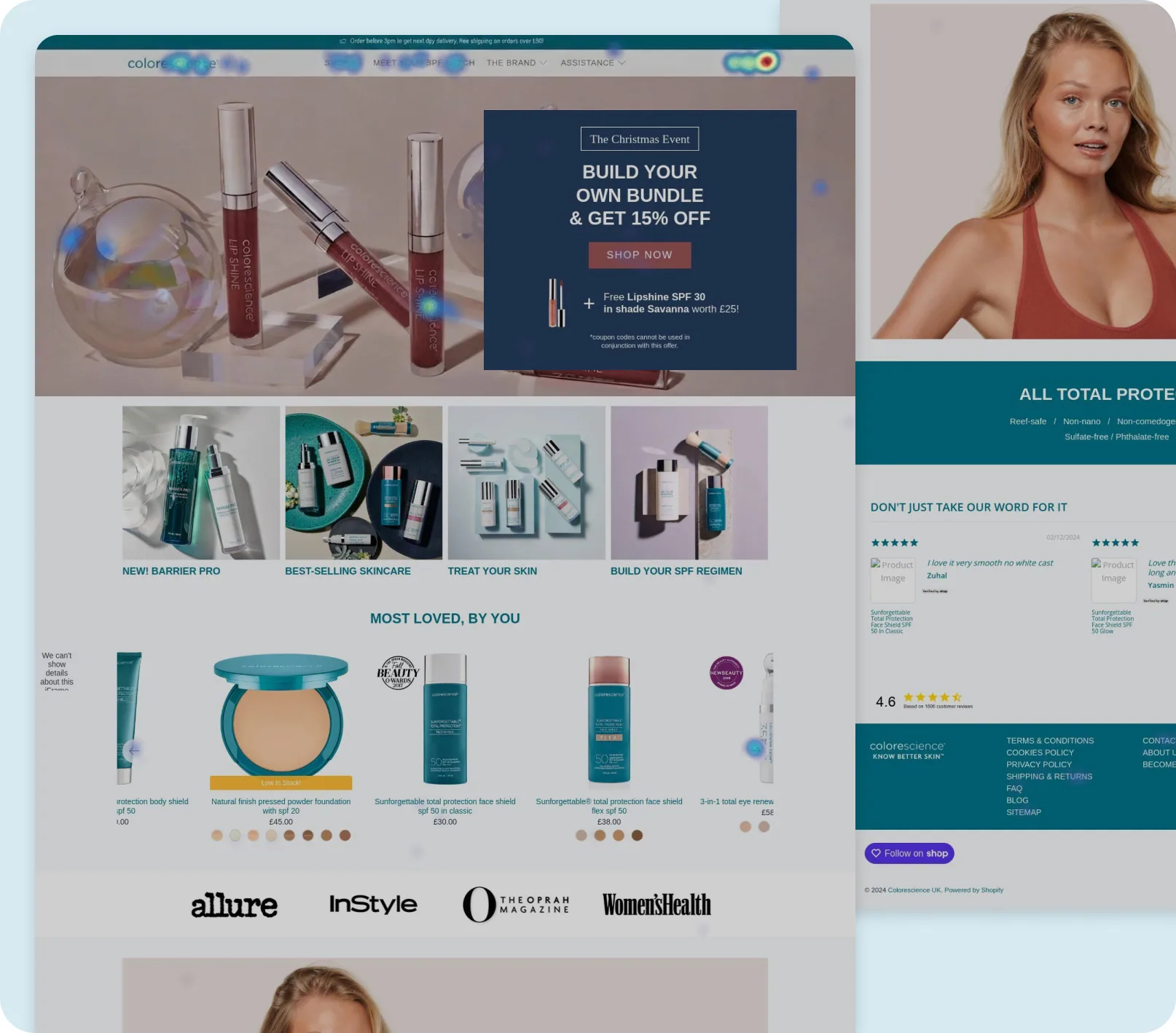
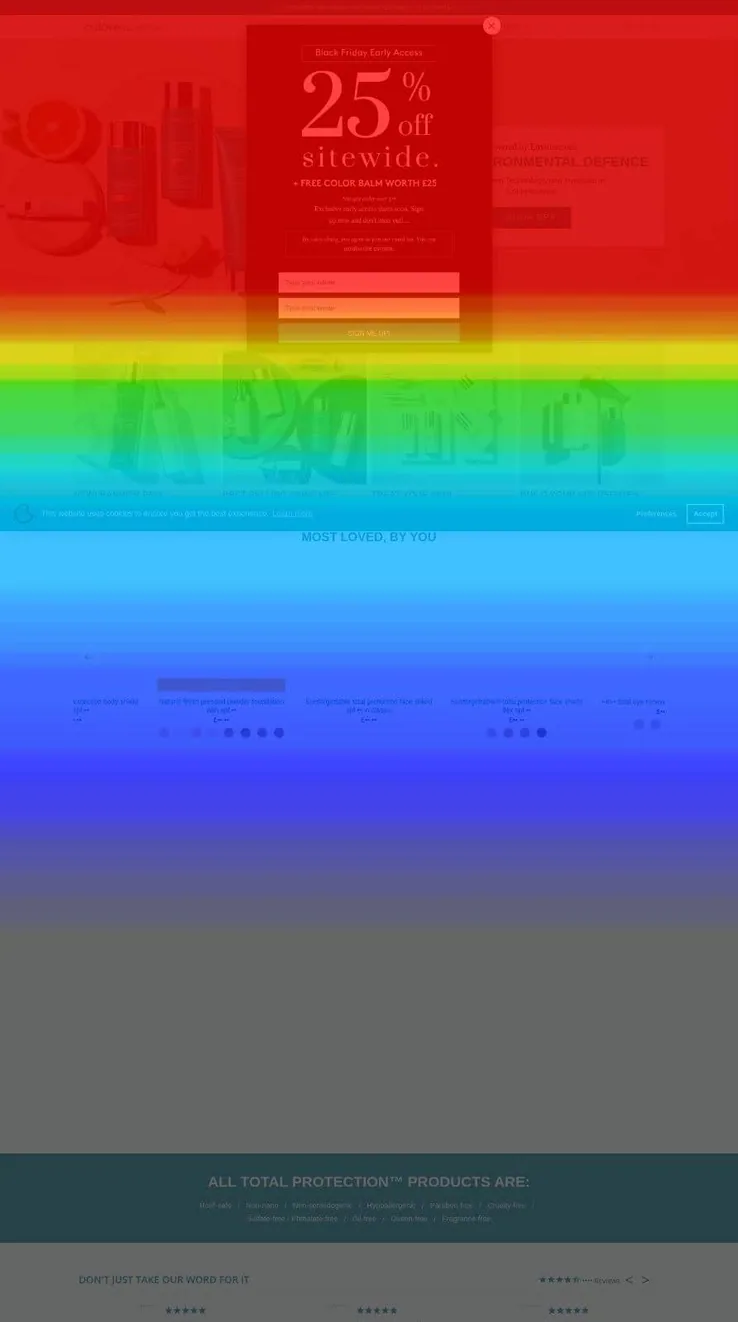
Alongside the survey, I reviewed Hotjar click and scroll-depth heatmaps and session recordings to understand where customers were focusing their attention, how they moved through the site and where friction was occurring.
Click and Scroll-depth Heatmap Findings
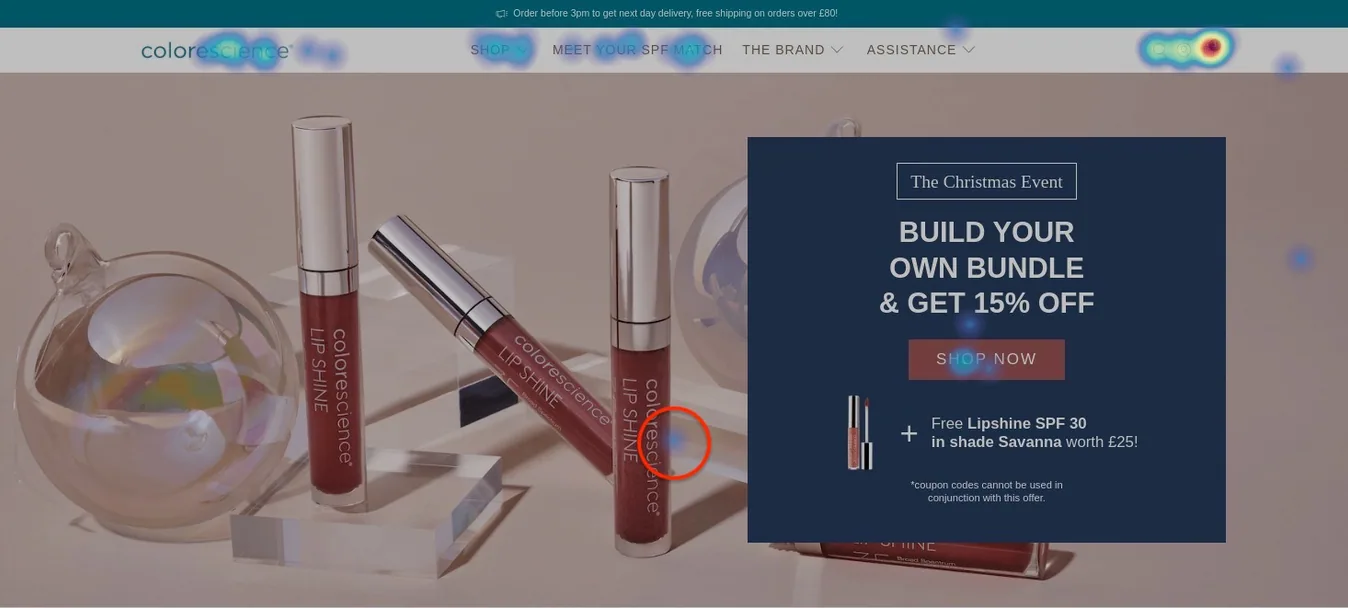
Navigation, search, cart and carousel controls attracted interaction. Some visitors also clicked products within the hero imagery, suggesting an opportunity to make those products directly shoppable.
Fewer visitors reached lower homepage sections. This supported bringing useful product information and shopping routes earlier in the page. The recordings did not reveal an obvious broken purchase flow, but the funnel data still indicated friction worth investigating.
Turning Research Into Design Priorities
Before moving into design, I condensed the research into six priorities. These became the brief for the redesign, connecting the strongest behavioural and analytics findings directly to the areas of the experience that needed to change.
Simplify navigation and product discovery
Customers relied heavily on navigation. The structure needs to make useful collections easier to reach and organise the catalogue around recognisable shopping routes.
Make search easier to discover
Search users converted more often, while search sat behind an icon. Search needs a clearer entry point and useful suggestions for customers who do not know a product name.
Restructure the homepage hierarchy
Engagement dropped further down the homepage. Product discovery, education and reassurance need a clearer sequence, with useful content appearing earlier.
Make browsing more shoppable
Visitors clicked products within campaign imagery and sought more detail. Browsing needs ways to inspect products and choose options without repeatedly changing pages.
Bring product information forward
Mobile abandonment and interaction with product details highlighted a need for clearer information. Ratings, price, shades and key details need to be easier to find.
Guide customers to the right product
Survey feedback highlighted uncertainty around suitability and shades. Customers need recognisable category routes, product guidance and help choosing a shade.
Information Architecture and Navigation
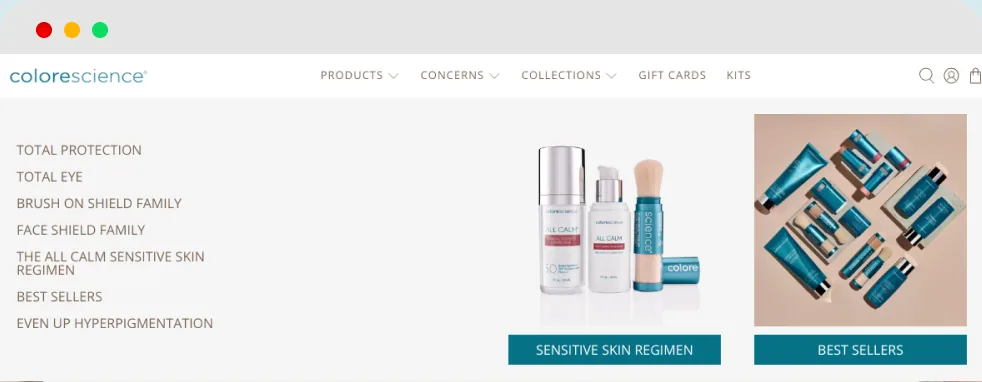
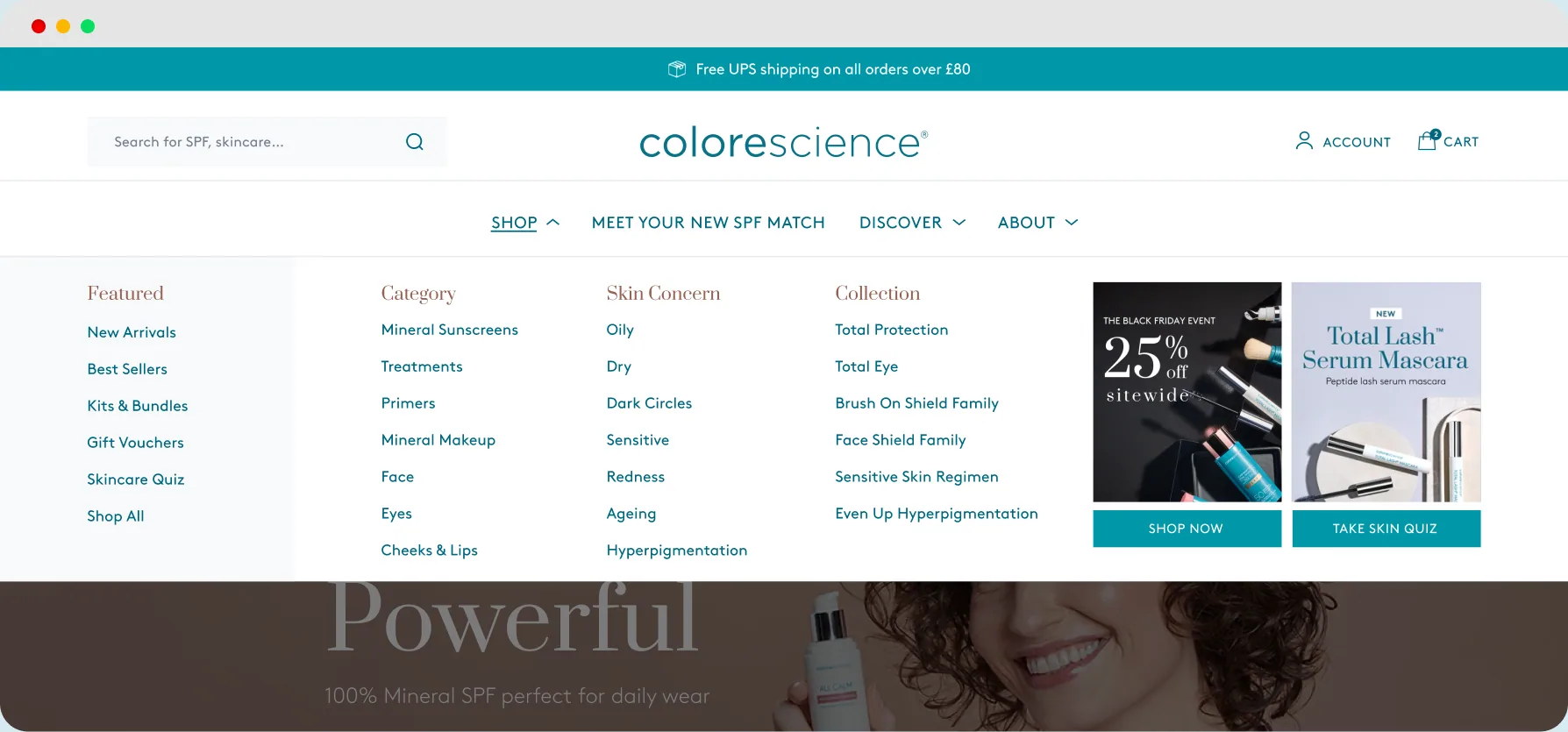
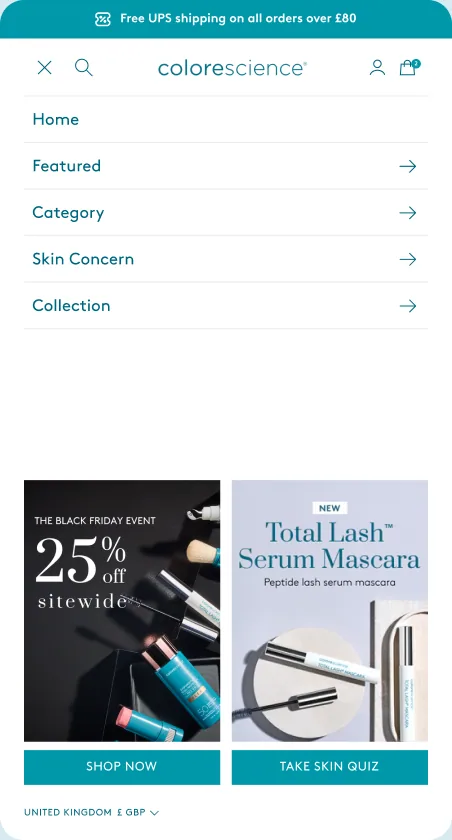
Customers relied heavily on navigation, so I brought Featured, Category, Skin Concern and Collection links into a single Shop mega menu. This gave the catalogue one consistent browsing entry point.
I grouped secondary content under broader navigation routes and retained help links in the footer. The two-tier desktop header created space for a visible search field and campaign links, while account and cart remained easy to reach.
On mobile, search remains an icon in the compact header. The expanded search field is a desktop change, rather than a feature shown at every screen size.
Redesigning Search
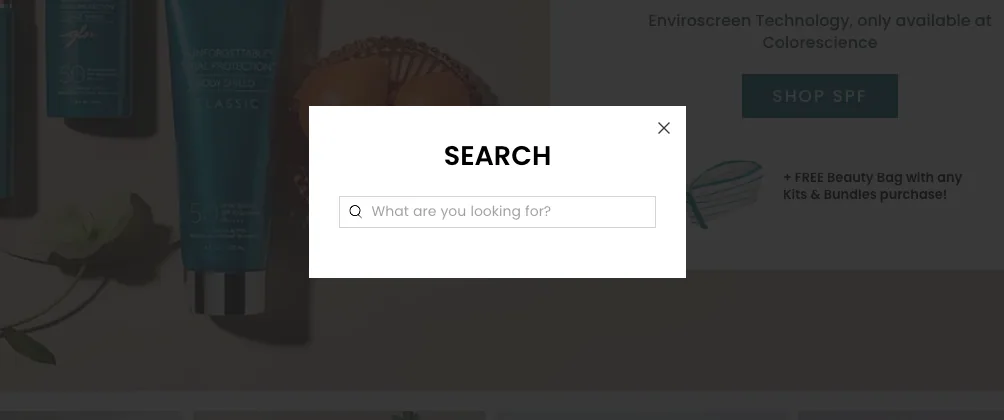
Search users converted more often than non-search users, making search visibility a useful opportunity to explore. Higher purchase intent may also explain part of that difference, so increased search use remains a hypothesis to test.
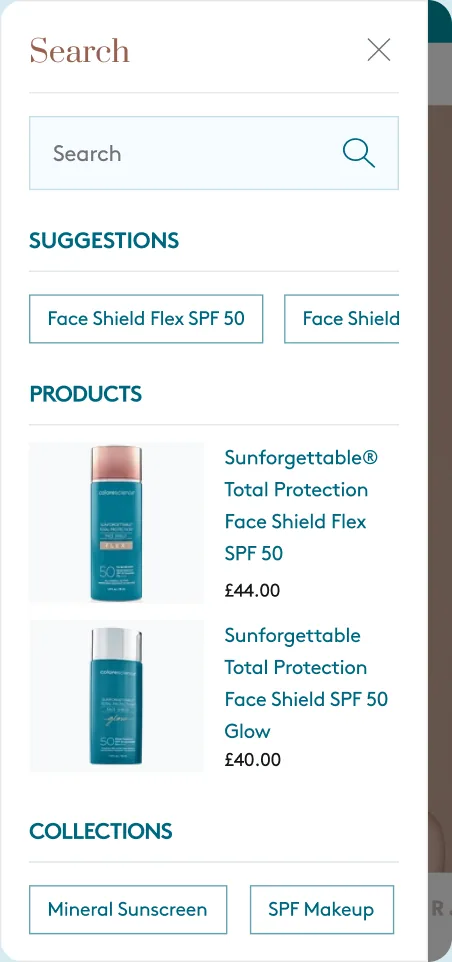
I exposed the search field in the desktop header and retained an icon on mobile. Opening search reveals a drawer with suggestions, products and collections, giving customers a starting point before they know an exact product name.
The design prioritises shopping results while keeping the underlying page visible. The demo shows the interaction; the static detail shows the drawer content.
Shoppable Hotspots
Some visitors clicked the products pictured in the old hero. I used that observation to explore hotspots that open product information and purchase options directly from campaign imagery.
The aim was to give interested customers another route into a product without leaving the homepage. Hotspot engagement and subsequent add-to-cart activity would need measurement to establish whether this helped.
Structuring the Homepage
The old homepage offered limited routes into the range. I reorganised it around three jobs: help customers discover products, understand their differences and take the next step towards purchase.
Press logos and award-winning products appear early, followed by category routes, ingredient information and application content. Product modules create further opportunities to shop, while the match finder offers an additional route for customers still exploring.
I developed the sequence in wireframes before visual design. The layout balances shopping and education; its effect on engagement requires validation.
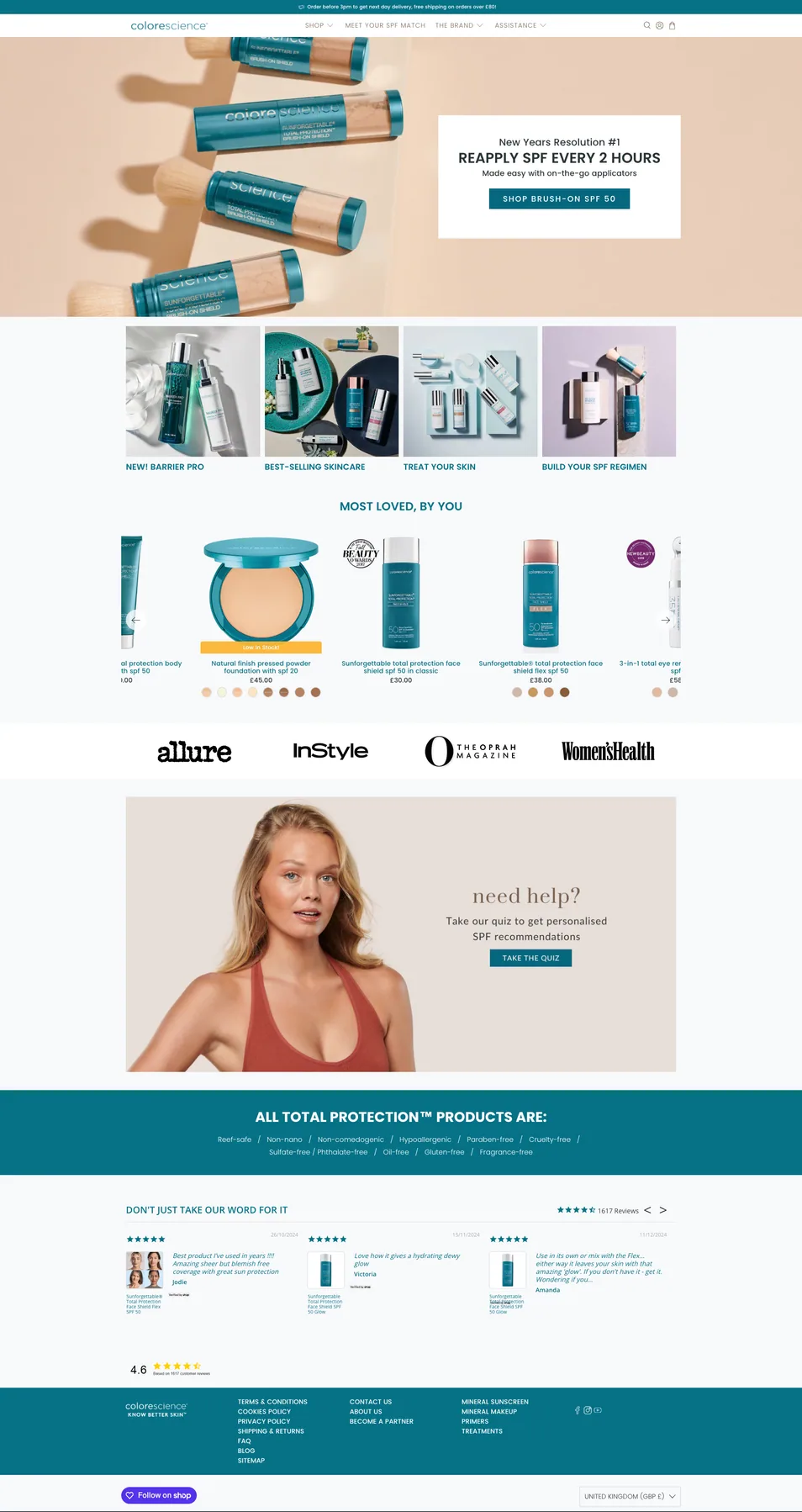

1. Navigation
Why: Heatmaps showed heavy use of the navigation, search and cart, yet the old header gave space to low-traffic pages and hid search behind an icon.
Benefit: One clear place to browse under Shop, search always in view, and room for campaign and launch links.
2. Hero banner with hotspots
Why: The old hero got almost no clicks, except customers tapping the product in the photo.
Benefit: A brand-led first impression that is also shoppable, turning campaign imagery into a purchase path.
3. Press and awards
Why: The audit flagged a lack of authority above the fold.
Benefit: Credibility is established before anyone is asked to buy.
4. Award-winning SPF Product Carousel
Why: Session recordings showed people scrolling straight past the hero to the first products.
Benefit: Bestsellers in the first scroll, with badges, ratings and Quick View shortening the path to cart.
5. Pure ingredients, beautiful results
Why: Ingredient questions came up constantly, and texture and finish were recurring themes in reviews.
Benefit: The 100% mineral story and a tactile product video answer objections before the price is questioned.
6. Discover your essentials
Why: The old image tiles were ignored, and every bottle looks alike.
Benefit: Customers navigate by where they use the product: Face, Eyes, and Cheeks & Lips.
7. Top trending product
Why: Traffic arriving from social often wants one specific product.
Benefit: That product has a home, with its real-use video and add to cart, so those customers buy without hunting.
8. Bestsellers
Why: Many customers skip the first carousel on their way to the content.
Benefit: A second product moment, with swatches and quick add, once they are warmed up.
9. Backed by science, loved by skin
Why: Heatmaps showed icons got clicks where blocks of text did not.
Benefit: Mineral, cruelty-free and ethical claims become scannable cues that reinforce trust at a glance.
10. Explore our categories
Why: Collection pages carried most of the traffic, but had little visibility on the old homepage.
Benefit: Fast routes into the highest-value collections for browsers still scrolling.
11. Real reviews, real results
Why: Customers watched every product video and asked how products look on real skin.
Benefit: Shoppable customer videos answer that visually, with the product and price attached.
12. FAQ / Contact
Why: The same questions arrived constantly through support: shipping, returns, usage.
Benefit: Answers on the page remove late-journey friction and give the homepage useful indexable content.
13. Find your perfect match
Why: Undecided browsers were leaving long before they would commit to a full quiz.
Benefit: Three taps build a targeted collection, catching the undecided at the bottom of the page.
14. Value-promise bar
Why: Delivery, returns and the welcome offer were buried in the footer and FAQs.
Benefit: The reassurance a hesitant buyer needs is visible just before they leave the page.
15. Footer
Why: Secondary brand and help pages were crowding the main navigation.
Benefit: They stay reachable here, keeping the header for shopping.

Product Cards and Quick View
I made product cards more consistent so customers could scan the same information in the same place: image, rating, name, price and available options. Badges and shade or size choices help distinguish products within the range.
Quick View lets customers inspect a product and choose options while staying within the collection or homepage. The accompanying demo shows this interaction.
Application video provides another way to assess texture and finish: on desktop it appears on hover, while touch devices offer it through the image carousel.
Structuring the Product Page
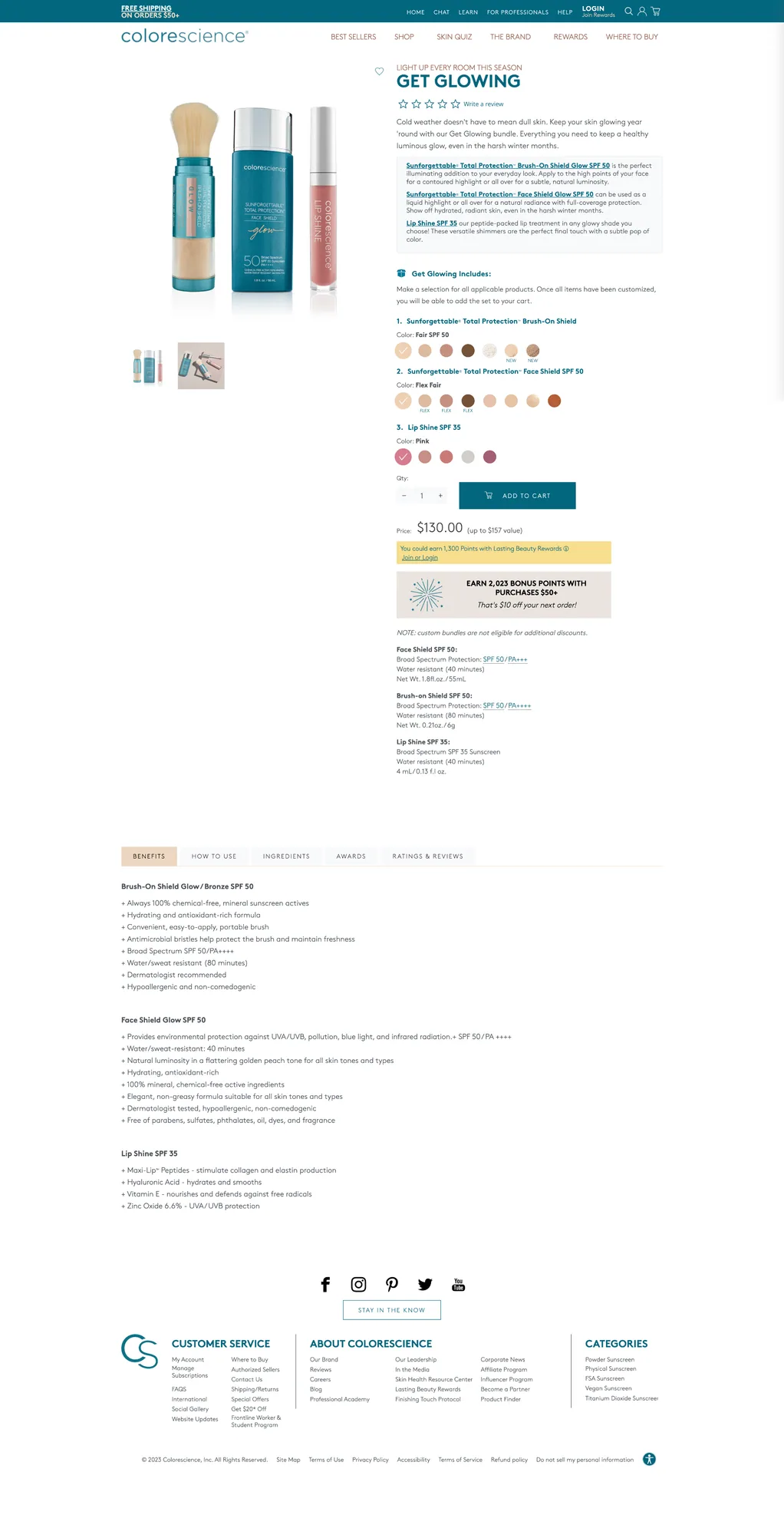
Reported mobile product-page abandonment made this a priority. Gallery use, review interaction and requests for more detail suggested that access to information deserved attention, without proving why visitors left.
I grouped the buying information on desktop and used expandable detail sections to manage page length. On mobile, the gallery still leads the page, with product information below and a persistent purchase control. The mobile detail below shows that trade-off explicitly.
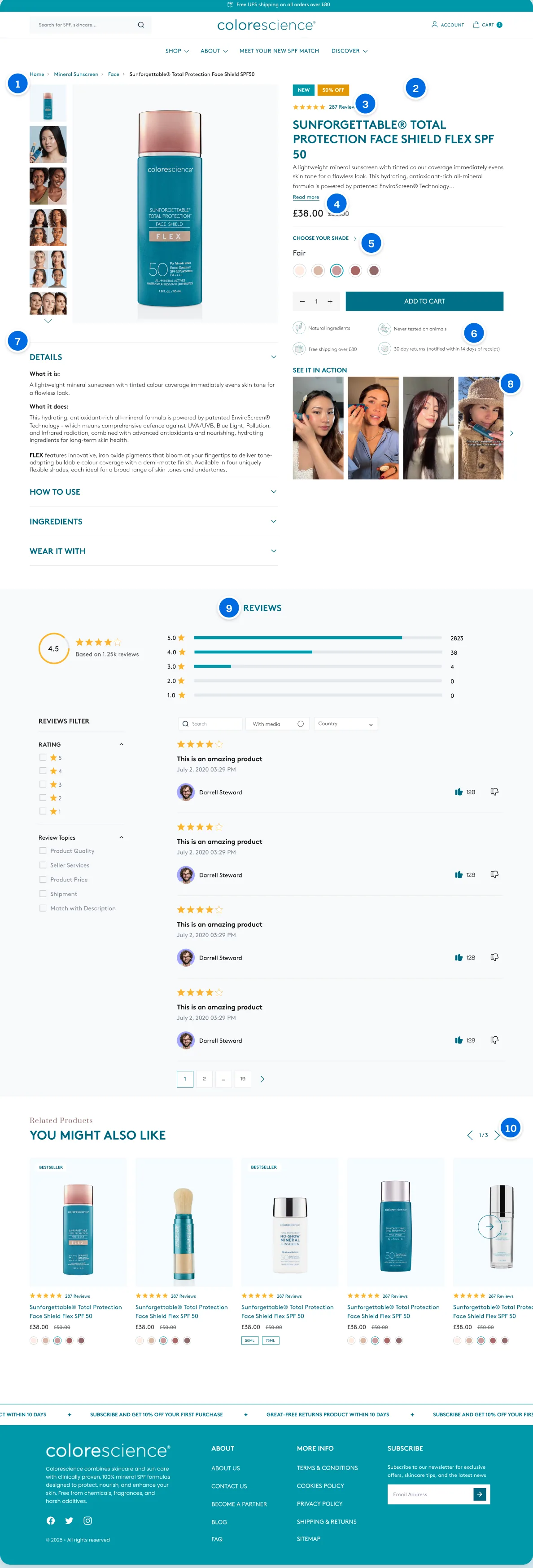
1. Product gallery
Why: People clicked through every image on the old page and paused on each one.
Benefit: A large thumbnailed gallery with customer photos alongside product shots, so finish and shade can be judged without leaving the page.
2. Buy column
Why: The old buy column ran long: the price only appeared below the add to cart button, with loyalty banners sitting between the product and its details.
Benefit: Rating, title, summary, price, shade and add to cart in one tight column that content never interrupts.
3. Rating beside the title and price
Why: The old page showed stars under the title, but the price sat below the add to cart button, so social proof and cost were never read together.
Benefit: Rating, review count and price sit in one group, answering “is this any good” and “what does it cost” in the same glance.
4. Read more
Why: Hotjar showed regular use of read more across product pages, alongside poor mobile scroll depth.
Benefit: A two-line summary gives orientation first; the detail is there on demand.
5. Shade selection
Why: Choosing a shade came up repeatedly in the questionnaire as a point of friction.
Benefit: Named swatches inline, with the shade guide one tap away for anyone unsure.
6. Trust bar
Why: Reassurance on ingredients, delivery and returns was buried in the footer and FAQs.
Benefit: The usual objections are answered directly under add to cart, where the decision is made.
7. Info accordions
Why: Product information lived in tabs far down the old page, past the promotional banners, and people weren’t scrolling that far.
Benefit: Details, how to use and ingredients sit directly under the gallery, revealed on demand rather than stretching the page.
8. See it in action
Why: Texture and finish were recurring themes in reviews, and customers watched every product video.
Benefit: Customer videos show the product on real skin beside the buy column.
9. Reviews with a ratings breakdown
Why: Reviews were tucked in a tab at the bottom of the old page and showed only an average, which is easy to misread.
Benefit: A distribution chart and filters make the reviews visible and easier to trust.
10. You might also like
Why: The old product page ended with no next step.
Benefit: Related products with full cards and add to bag give an onward route rather than a dead end.

Designing Across Every Screen
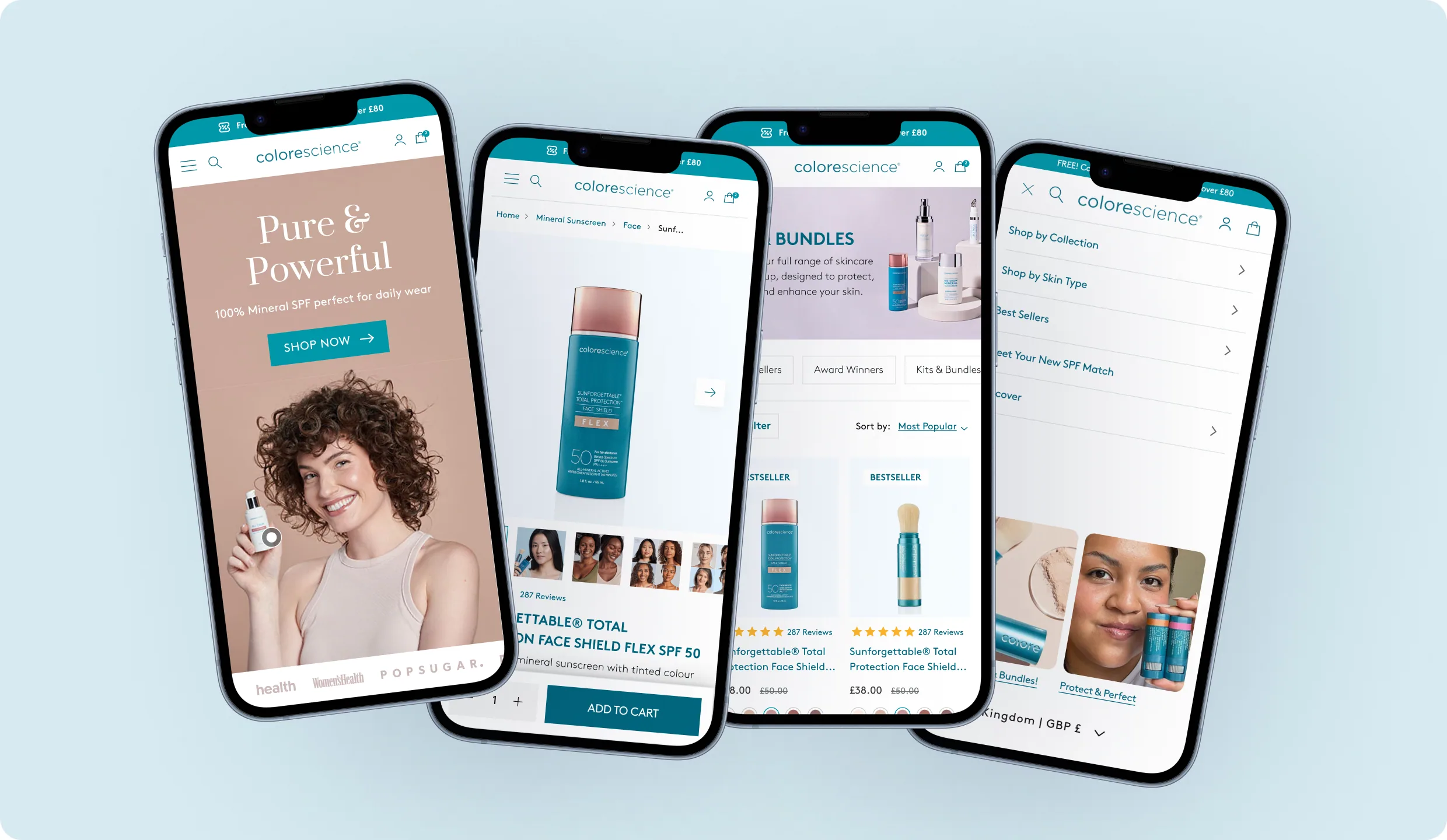
With more than three quarters of traffic on mobile, I designed most components at mobile width first. Horizontal scrolling, compact navigation drawers and touch-accessible product media adapt the experience to smaller screens.
The mobile layout has its own information order and controls rather than simply shrinking the desktop page. Hover-based features also have a touch-accessible equivalent.
A Redesign for a Record Year
The redesigned Shopify experience launched during what became a record year for Colorescience UK. To understand the impact of the redesign itself, I compared equivalent twelve-week periods before and after launch, focusing on the same areas the research had identified as priorities.
Mobile PDP Abandonment
Mobile Conversion
Sessions Using Search
Revenue per Visitor
The strongest improvement came on mobile product pages, where abandonment fell from 64.7% to 36%. Mobile conversion increased by 27%, while making search more visible helped increase the number of sessions using it by 50%. Revenue per visitor also rose by 22%.
Overall, the redesign achieved what we set out to do. Customers had clearer ways to find and understand products, the mobile shopping journey performed better, and the team had much more flexibility for campaigns, launches and day-to-day merchandising.
The end result was a cleaner, more useful and more scalable ecommerce experience that felt far more representative of Colorescience as a brand, while giving the business a stronger platform to keep building on.